What is Recollekt? A guide to your journal and its memory
Write or speak your thoughts. Reflect on an entry. Ask questions across your past. Here is how the Recollekt iPhone app brings those experiences together.
 ··20 min read
Recollekt is an iPhone app for personal journaling and reflection. You can write or speak an entry, add details you want to keep, ask AI for a perspective on what you wrote, and ask questions across your recorded history. Optional mood check-ins and writing trends help you revisit your days from another angle.
The starting point is always your own experience. A conversation you keep thinking about. A change you are trying to understand. An ordinary evening you would like to remember.
Writing those things down gives them a place to live. Recollekt adds ways to return to them: while a thought is still fresh, when an earlier experience becomes relevant, or when you want to see what has changed over time.
You may see us describe this as personal growth intelligence. In Recollekt, that means using your recorded experience as the material for reflection: your words, relevant earlier context, and another perspective you can examine. It describes the kind of help the product offers, rather than a promise about how much you will grow.
This guide explains the product, its feature names, and the choices you have. You can read it from beginning to end or use the sections as a reference. The examples and diagrams are illustrations, with fictional writing; they are not screenshots of a person's journal or promises about an exact AI response.
Recollekt at a glance
| If you want to… | Use… | What it means |
|---|---|---|
| Capture something in your own words | Write an entry, Day, or Evening | Start a journal entry by typing or speaking. |
| Think further about the entry in front of you | Reflekt | Request an AI reflection inside that entry. |
| Find relevant experiences across your history | Ask Lucy | Ask your journal a question and inspect the entries behind an answer. |
| Read earlier writing or continue unfinished work | Past and Drafts | Browse completed entries or reopen a draft. |
| See recorded writing and mood over time | Trends | Review counts, charts, and other views of what you have recorded. |
| Make room for writing in your day | Reminders and Karma | Adjust reminders and look at your writing rhythm. |
| Manage app access | Recollekt Lucid | The subscription name, covering the current Recollekt experience. |
You do not need to learn all of these names before writing. Begin with an entry. The rest becomes useful when you have a reason to return to what you wrote.
How Recollekt works: write, reflect, revisit
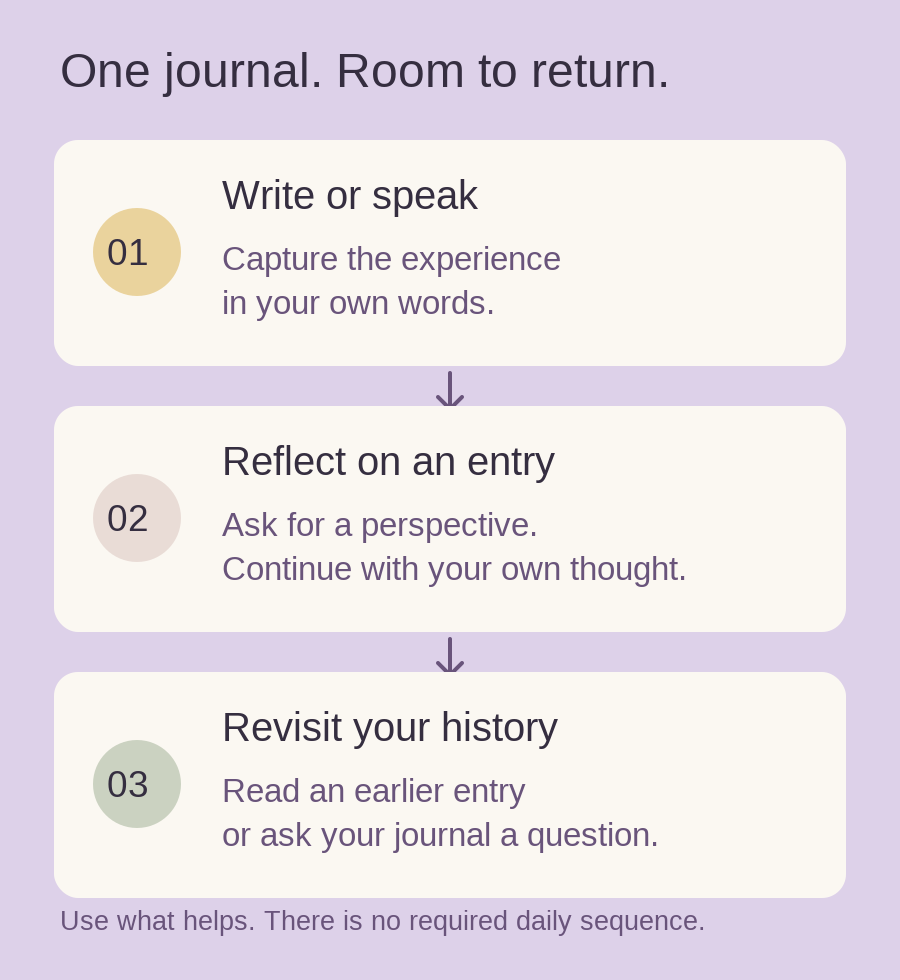
There are three useful ways to approach the same personal record.
Write or speak. Record what is on your mind in an entry. It can be a few lines, a longer piece of writing, or a spoken thought that becomes editable text.
Reflect on an entry. When you want another perspective, ask for a response to the writing in front of you. You can read it, question it, and continue beneath it in your own words.
Revisit your history. Open an earlier entry, look at your recorded trends, or ask a question that spans more than one day.
These are choices you can use at different times. There is no requirement to request a reflection on every entry or to turn every ordinary moment into a lesson.
Start with the way you already think
Home offers Day, labeled “Start your day,” Evening, labeled “Close your day,” and Write an entry. Day and Evening are time-of-day starting points. They are not fixed questionnaires that tell you what your day should mean.
You might use Day for something you want to carry into the morning. Evening might hold a conversation you are still processing. A blank entry can catch a thought whenever it arrives.
In the editor, you can add a title and write in the main area. Formatting controls help you organize a longer entry with headings, lists, or emphasis. The purpose is to make the writing comfortable to read and return to, whether you think in paragraphs or short notes.
You can also speak. The microphone records speech for transcription, then inserts text into the entry. That text is editable: read it back, fix a name, remove a line, or keep going by typing. Speech recognition can get a word wrong, so a transcript is something to review rather than accept blindly.
Under Settings → Personalize, Clean up dictation can remove filler sounds such as “um” and “uh.” Glossary lets you add a word or record a spelling correction. Here, “glossary” means a small vocabulary aid for words that get heard or written incorrectly; it is not a collection of everything Recollekt knows about your life.
Voice can be useful when the thought is easier to say than type. It also uses cloud processing, which we explain in the privacy section below.
Keep the details beside the writing
An entry can include more than prose. The attachment menu supports taking or choosing a photo or video, attaching a file, scanning a document, and scanning text, subject to the device and its permissions.
A photo might remind you which place you were describing. A document can sit beside the thoughts it prompted. Text scanning can help bring a passage into the editor without typing every word again.
On supported devices, Image Playground can also appear in the attachment menu. This is Apple's image-creation feature, offered where the device supports it; it is separate from Recollekt's journal reflection.
Keeping an attachment in an entry does not mean the reflection has examined it. The current reflection and journal-answer requests use text and context, rather than photo attachment bytes. If something in a picture matters to your question, describe it in your own writing.
Reflekt: another perspective on this entry
Reflekt is the name of Recollekt's AI reflection inside a journal entry. In everyday terms, it means: help me think about what I have just written.
Write something first, then tap Reflekt. The response appears within the entry so you can read it alongside your words. It can acknowledge what you expressed, offer a possible perspective, and give you a question to explore. Relevant earlier writing may inform a reflection, but a connection to the past is not necessary for every response.
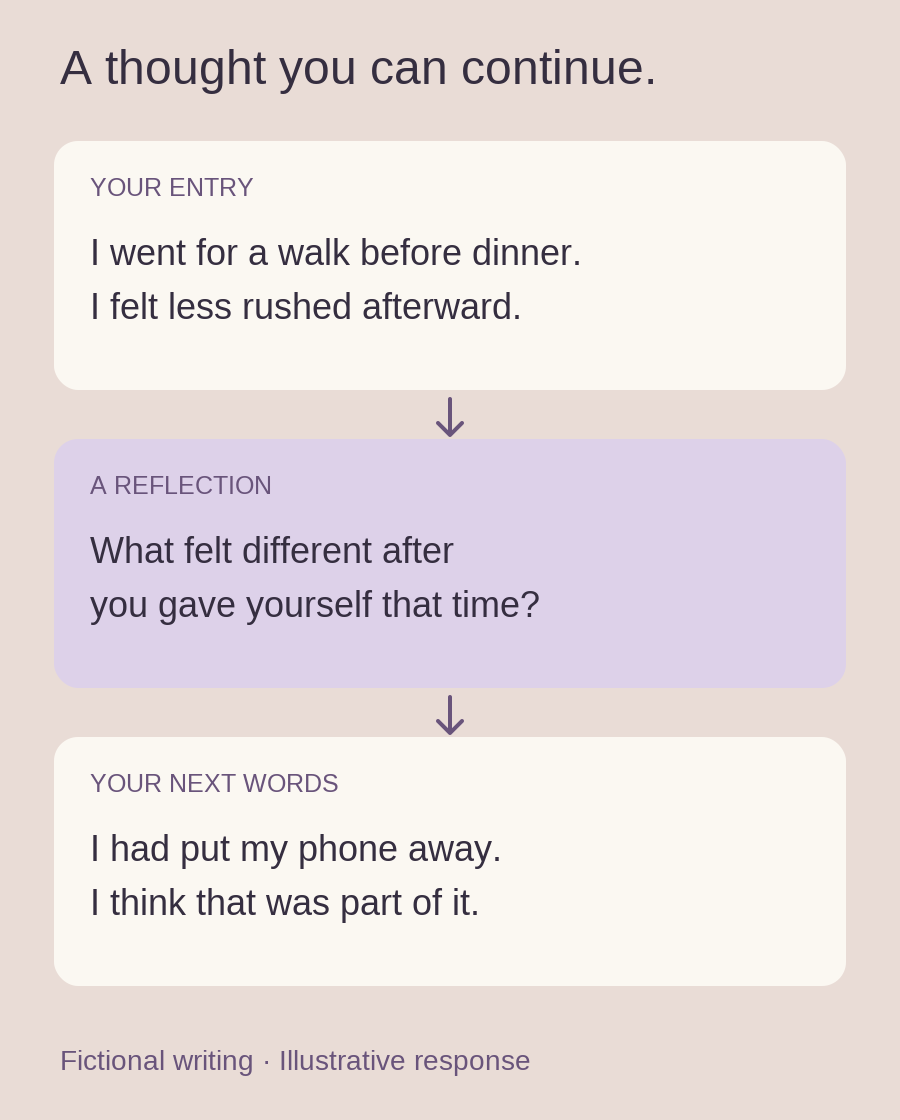
Consider this fictional entry:
I went for a walk before dinner. Nothing unusual happened, but I felt less rushed when I got home.
A reflection could invite you to look more closely at that experience:
What felt different about the evening after you gave yourself that time?
You could continue beneath the response:
I had put my phone away. I think that was part of it. I wasn't arriving home halfway through a conversation on a screen.
You can ask for another reflection after adding more. The exchange stays close to the entry, while your writing remains distinct from the AI response.
Reflekt can misread a situation or suggest something that does not fit. You can leave a response alone and keep writing. The ability to save your entry does not depend on an AI request succeeding.
Ask Lucy: ask your journal a question
Ask Lucy is Recollekt's question-and-answer feature for exploring your journal. “Ask your journal” describes its purpose: use what you have recorded to explore a memory, comparison, feeling, or possible pattern.
It is different from Reflekt in where you begin. Reflekt starts with the entry in front of you. Ask Lucy starts with a question that may need several entries, different dates, or earlier conversations to answer.
For example:
- What did I write about the week before I made that decision?
- What have I said helped me settle into an evening?
- How has the way I describe work changed since the start of the month?
- When have I felt understood in a conversation?
Open Ask Lucy from the bottom navigation and type a question or choose a suggestion. You can follow up in the same conversation. Previous Ask Lucy chats can be reopened from its history view.
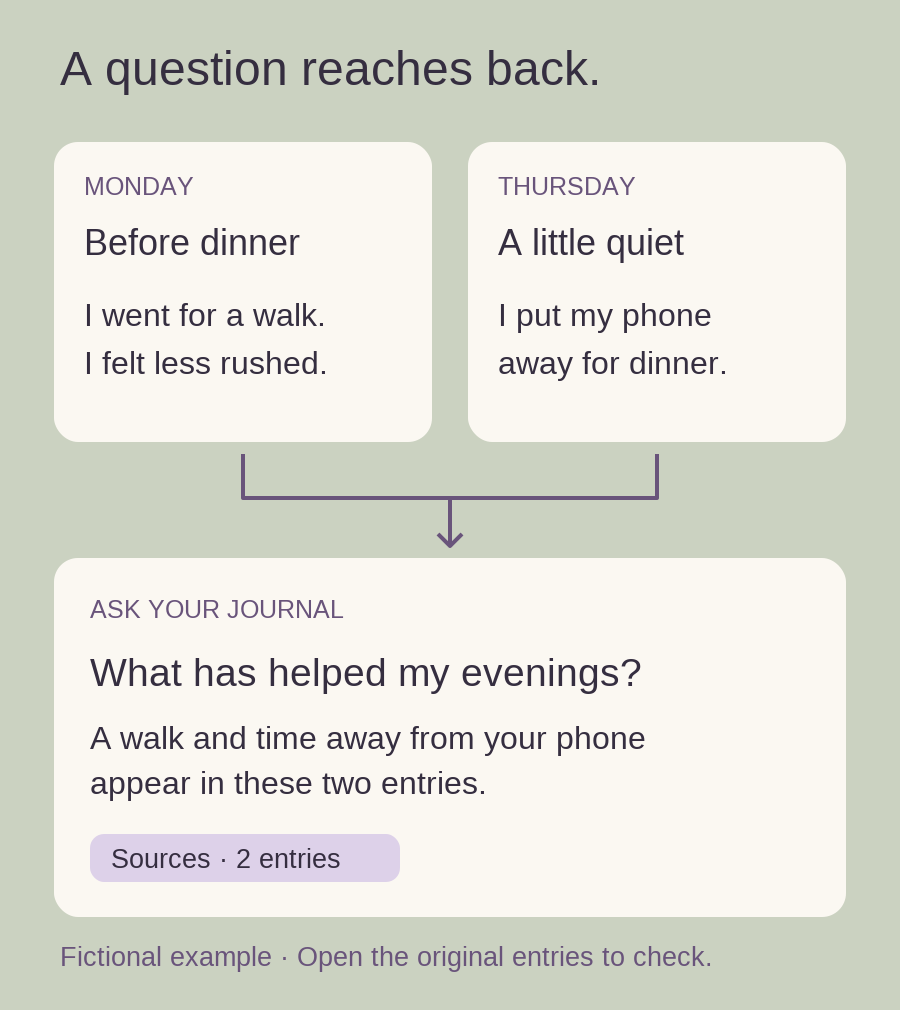
When an answer includes Sources, expand them. A source row shows dated entry information and may include a snippet. Tap an available source to open the original writing. You can then check what you said, when you said it, and whether the answer's interpretation fits.
That distinction matters. “You wrote that a walk helped on Tuesday” is a statement about a particular record. “Walks always help you” would be a much broader conclusion. A useful answer needs to respect the difference, and you should check that it does.
Ask Lucy can miss relevant writing, misread a date, or sound more certain than the available history allows. A recent entry may not be available to account-backed AI until it has synced. A source may also be temporarily unavailable on the iPhone you are using.
It helps to ask a specific question and name the period you care about. If there is little relevant writing, treat an answer as limited. Ask Lucy cannot send messages, set reminders, change settings, or take action outside your journal. Use the app's controls for those tasks.
The Ask Lucy guide explains the current question and source workflow.
What we mean by your journal's memory
Recollekt's memory is the ability to make relevant recorded history usable when you return with a question or reflection. Your earlier entries remain the material to check.
You do not have to manually connect every entry or build a system of tags before asking something. You can write naturally, then use a question to look for a connection later.
This memory is limited by the record. An unwritten event is not something the app can know from your journal. A passage may be ambiguous. An entry still waiting to sync may be missing from an answer. Recollekt can help surface a possibility, but it cannot give you a complete account of your life or know the hidden reason behind a feeling.
The value is in making earlier experience easier to revisit. A question today might bring back something you tried last month. Reading the original entry can help you decide whether that experience is relevant now.
Mood check-ins: a second kind of context
After writing, Next opens Mood Entry, which asks “How are you, really?” You can answer the questions that fit or choose Skip.
The available check-in questions cover overall mood, feelings, energy, stress, sleep quality, and influences. These are things you report about your experience. Sleep quality here means your own assessment; it is not a measurement from a wearable.
Your answers stay separate from the freeform entry. You might write about a pleasant dinner while also recording low energy. Both can be true. Keeping these forms of context distinct gives you different ways to revisit that day.
Skipping the check-in does not make your writing incomplete. A record with no mood answer should not be treated as a day with a neutral mood; it is simply a day without that answer.
Past and Drafts: return to what you wrote
Past is where you browse completed entries. Its History screen has a calendar and dated entry groups, so you can choose a day or scroll to earlier writing. Open an entry to read its text and available attachments.
Drafts holds unfinished writing. If you leave the editor with Save and exit, you can return through Past → Drafts. Starting the same Day or Evening path again can also reopen today's unfinished draft.
To complete an entry, use Next, then either answer the optional mood questions or skip them. Done closes the recap. The recap is an AI aid, while your original writing remains the record to return to.
Completed entries can be reopened for editing. Keep drafts, completed writing, and sync status in mind as separate things: finishing an entry is one action; getting the latest version to your account is another.
Saved on this iPhone means a local copy is present. Waiting to sync means a cloud operation is still pending. Local saving and draft recovery support interruptions and periods without a connection, while cloud-backed features need connectivity. If a just-saved entry is missing from an answer, let sync finish and try again.
Trends: see what you have recorded over time
Trends is the app's overview of recorded writing and mood. It gives you another route into your history, alongside reading entries or asking a question.
Depending on your recorded data and personalization, you can see writing counts, daily words, an entry tracker, writing rhythm, mood over time, mood comparisons, weekly mood, energy and sleep-quality views, and frequent words.
These views answer different questions. A writing tracker shows when entries were recorded. A mood chart shows the check-in answers you chose to supply. Frequent words show language that occurs in your available entry text.
A word count is not a measure of how well you lived that day. A frequently used word is not a diagnosis or an explanation of your motives. Sparse data can simply mean there is too little history for a particular view.
Trends lets you choose which views to show and arrange them. It can be a place to pause occasionally, rather than another dashboard you need to monitor every morning.
A rhythm that fits your life
Recollekt's Karma view shows your writing practice over time. In this context, Karma is a product name for a writing-rhythm view: days with entries, counts, and stretches of practice. It is not a moral score or an assessment of your personal growth.
You can reach it from Home, choose among the available periods, and return to a recorded day. A gap is part of the record. You can begin again with the next entry.
Under Settings → Reminders, you can adjust the app's daily rhythm. The settings include reminders for the start and end of the day, capturing a thought, and revisiting earlier writing. You can change times and repeat days, use quiet hours, control whether notification message text is shown, and pause reminders for today. Notifications depend on iOS permission. A revisit reminder needs earlier writing to return to.
The Quick Capture Home Screen widget provides shortcuts into Day, Evening, Karma, and Ask Lucy. It opens the app for the selected destination, where account access and app lock still apply. It helps shorten the route to writing rather than exposing journal text on the widget.
Make the experience comfortable
Settings includes choices for Appearance, Time, Personalize, Listening, Privacy, Reminders, and Account.
Appearance controls how the app looks. Time lets you adjust the day-and-evening timing used by the app. Personalize includes optional information about you and the dictation choices described earlier. These settings can help the app fit the way you use it; you do not have to fill out a biography to begin an entry.
If you prefer to hear a response, use its listening control. Listening settings let you choose a voice, preview it, and change playback speed. You can also choose whether a new Reflekt response plays automatically. Ask Lucy plays when you tap its listening control.
Response controls also let you copy text and give feedback about the AI response. Feedback can tell Recollekt which response you are reacting to; it does not change the original journal entry into an AI answer.
Privacy, storage, and AI processing
A personal journal deserves a clear explanation of where its information goes.
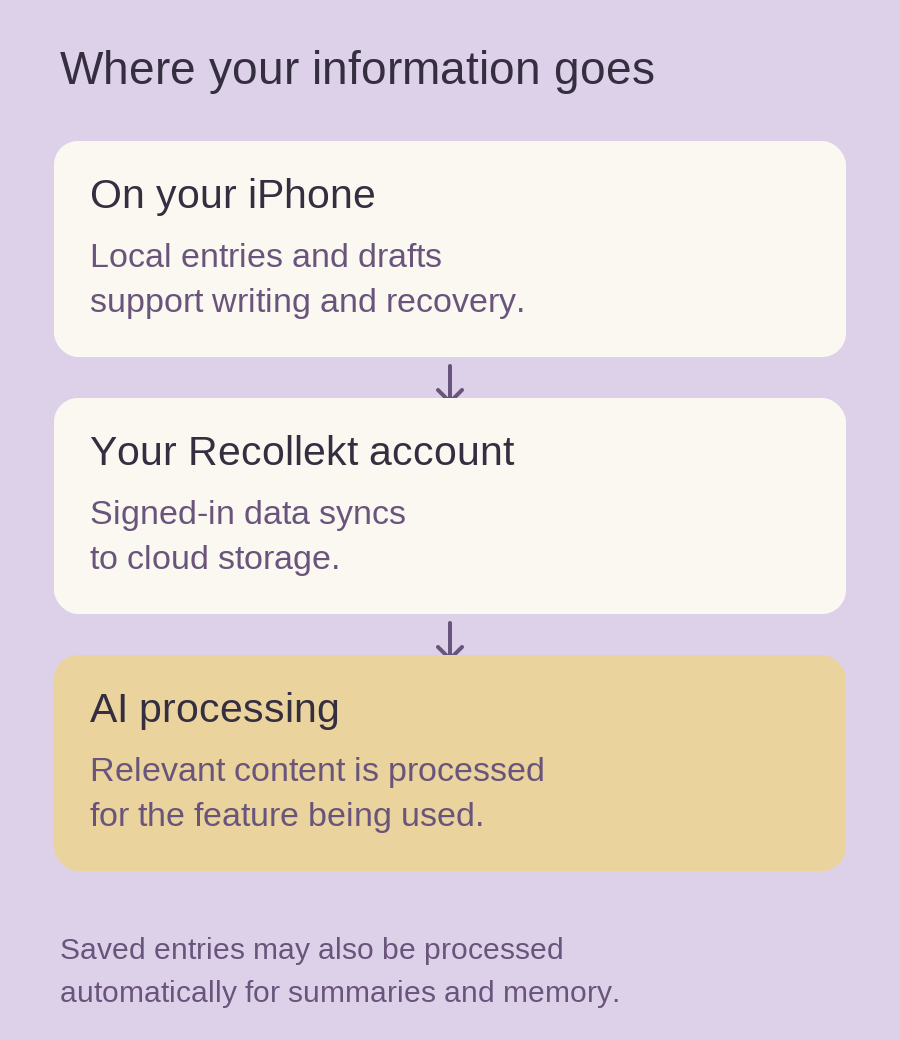
Recollekt keeps local entries and drafts on the iPhone, and signed-in data syncs to a cloud account. Its AI features use third-party cloud processing. Depending on the feature, relevant writing, questions, earlier entries, personal context, microphone audio, or selected text is sent outside the device. Saved entries may also be processed automatically for summaries and memory.
That means “I haven't tapped Reflekt today” does not necessarily mean no AI processing has occurred. It also means app lock and cloud privacy are different questions.
App lock can require Face ID, Touch ID, or the device passcode to open Recollekt. It protects access on the device. It does not make cloud processing end-to-end encrypted: the services involved need to process the content sent in a request.
Use location for entries is off by default. If you enable it and grant permission, the app can add a location tag when creating an entry. Location you type into an entry is still part of the writing, independently of this setting. Camera, photo, microphone, and other permissions are managed through iOS as appropriate.
The current app requires an account, applicable access, and explicit AI permission before entering the main experience. You can choose to journal without requesting an individual reflection, but the app should not be understood as an entirely offline journal with cloud AI permanently switched off.
For access, correction, export, or privacy requests, contact hi@recollekt.app. The current policy directs export requests to support; this guide does not imply there is a self-service export button.
Account settings includes Delete account. Deletion requires identity confirmation and a final confirmation, then cleanup proceeds. Deleting an account does not cancel an Apple subscription. Provider copies and backups have their own cleanup and retention limits, so deletion should not be understood as instantaneous erasure of every copy everywhere.
Read the current Privacy & security policy for the complete data handling, permission, retention, and deletion details.
Recollekt Lucid: understand access and subscriptions
Recollekt Lucid is the subscription name. It is separate from Ask Lucy, the journal-question feature. The current subscription presentation describes one subscription for the Recollekt experience, including your journal, Reflekt, and Ask Lucy.
The app offers monthly and annual options through the App Store. Prices and eligible introductory offers are shown in the purchase screen and can vary by storefront or eligibility. Check those terms at purchase time rather than treating a blog post as a permanent price list. An introductory offer is not automatically available to everyone.
Account settings provides subscription access and restoration controls. Manage renewal through Apple's subscription settings. Account sign-out, withdrawing AI permission, or deleting a Recollekt account should not be treated as cancelling an Apple subscription.
The current product is intended for adults aged 18 and older. This guide describes the iPhone experience; it does not establish that a web, Android, Mac, or Apple Watch version is available.
What is available, and what should not be assumed
The product described here centers on writing, voice capture, attachments, Reflekt, Ask Lucy, mood check-ins, Past and Drafts, Trends, reminders, personalization, and account controls.
You should not infer that every idea for a journal product is included. Guided templates are hidden in the current entry flow. This guide makes no claim of a general journal-import tool, Apple Health integration, automatic medical insights, or an AI assistant that operates other apps for you.
AI responses are fallible, even when they include a source. Recollekt supports personal reflection; it is not a therapist, healthcare provider, crisis service, or source of professional advice. A reflection can be a starting point for your thinking. Decisions and interpretations remain yours.
The AI limitations guide explains these boundaries in more detail.
A first session, from start to finish
Once you have app access, a first session can be simple:
- Open Home and choose Write an entry, Day, or Evening.
- Type a few lines or use the microphone, then review the transcript.
- Add a title or attachment if it helps you keep the context.
- Tap Reflekt if you want a perspective on this entry, and continue in your own words if useful.
- Use Next, answer any mood questions you want to record or choose Skip, then tap Done on the recap.
- Find the entry in Past. If it is waiting to sync, give the app a connection and time to finish.
Later, you might open Ask Lucy with a question that belongs to your own record. Start with something specific: “What did I say helped me make time for myself last week?” Read the answer, then open the sources and make your own judgment.
Common questions about Recollekt
Is Recollekt a journal or an AI chat app?
Recollekt is a journal with AI reflection and journal-question features. Entries, dates, drafts, and recorded context are the foundation. Reflekt and Ask Lucy are ways to work with that personal record.
What is the difference between Reflekt and Ask Lucy?
Reflekt responds inside the entry you are writing. Ask Lucy begins with a question and can use relevant writing across your history. Use the first when you want to think further about this entry; use the second when your question reaches beyond it.
Do I have to use voice, AI reflection, or mood check-ins on every entry?
No. You can type, leave an entry without a requested reflection, and skip its mood questions. Individual choices are optional; the current account and AI-permission requirements for using the app still apply.
Does Recollekt understand every photo I attach?
The current reflection and answer requests process text and context, rather than photo attachment bytes. Write down the important detail if you want it considered in an answer.
Does Recollekt remember everything?
No. Answers depend on relevant available writing, sync, and the AI's interpretation. Missing records, ambiguous wording, and AI mistakes can all limit an answer. Open the sources to check it.
Can I write without a connection?
Local saving and draft recovery support writing through interruptions and offline periods within the app. Cloud sync, voice transcription, and new cloud AI responses need connectivity. Initial account access and subscription verification also need the appropriate connection; an offline save is not the same as a synced entry.
Is the journal end-to-end encrypted?
App lock protects access on the device. Recollekt does not represent its cloud AI processing as end-to-end encrypted. The privacy policy explains where information is processed and stored.
Does a subscription guarantee better mental health or personal growth?
No. The product provides tools for recording and reflecting on experience. It does not promise a clinical result, a particular life outcome, or a correct answer to every personal question.
Your words, with somewhere to return
Recollekt begins with a small act: put an experience into your own words.
You can leave it there. You can ask for another perspective while the thought is fresh. Or you can return weeks later with a question that the earlier writing helps you explore.
That is what ties the product together: a journal you can keep writing in, and a record you can come back to when you want to understand a little more.
Product facts reviewed against the current iPhone source and public policy on October 13, 2026. Features, labels, prices, and availability can change; use the app and current guides for the latest details.